Nothing OS 4.1 Latest Update (2026): New AI Features, Eligible Devices & Performance Improvements
Nothing OS 4.1 Latest Update: Everything You Need to Know
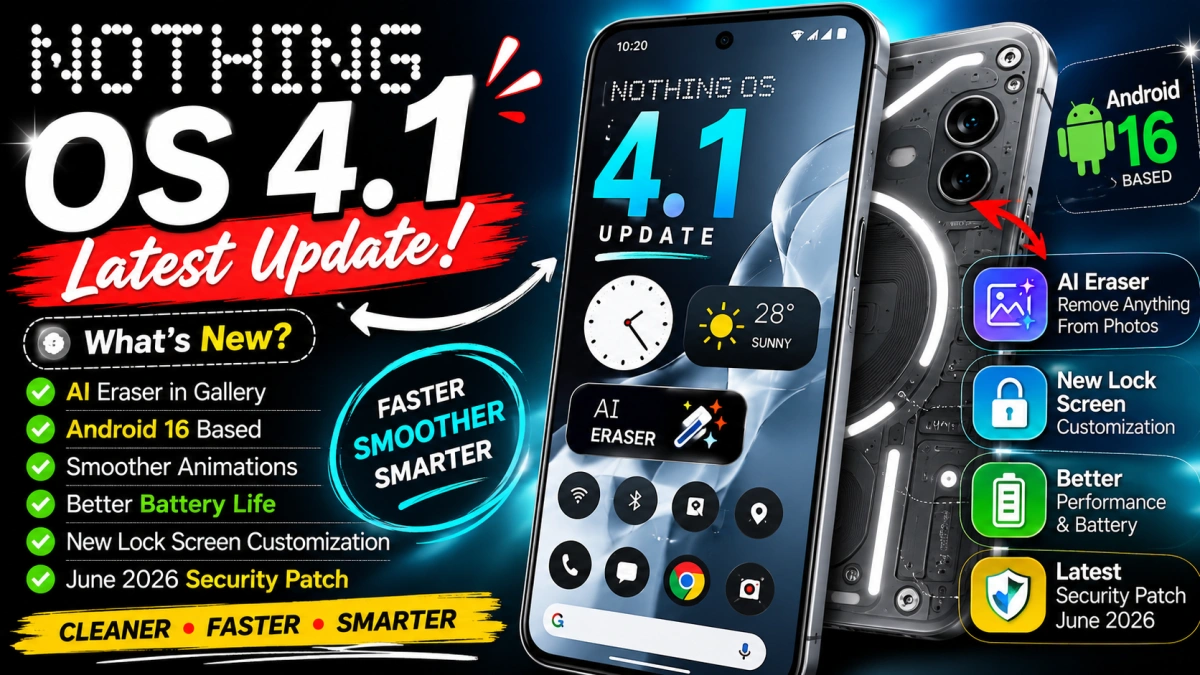
Nothing has released the latest Nothing OS 4.1 update, bringing a range of AI-powered features, lock screen improvements, better customization options, enhanced animations, and important security fixes. Based on Android 16, this update continues Nothing's vision of delivering a clean, fast, and minimal Android experience without unnecessary bloatware. The rollout has already begun for supported Nothing and CMF smartphones, although availability may vary depending on your region and device. (Nothing Community)
If you own a Nothing Phone or are planning to buy one, here's everything you need to know about the latest update.
What's New in Nothing OS 4.1?
The latest update focuses on improving both appearance and everyday usability. Instead of redesigning the entire interface, Nothing has refined existing features while introducing useful AI tools.
1. AI Eraser in Gallery
One of the biggest additions is AI Eraser.
Users can remove unwanted people, objects, or distractions from photos directly within the Gallery app. Unlike many cloud-based editing tools, this feature processes edits on the device, making it faster while helping keep your images private. (Cashify)
2. Smarter Lock Screen
Nothing has upgraded the lock screen with several new customization options.
Users can now:
Apply Depth Effect wallpapers
Resize lock screen clocks
Change clock alignment
Use improved Atmosphere wallpapers
Personalize the overall appearance more easily
These updates make the lock screen feel cleaner while maintaining Nothing's signature minimalist design. (Gizmochina)
3. Better Animations
Nothing OS has always been known for its smooth interface.
The latest version further improves:
App opening animations
Gesture navigation
Launcher responsiveness
Transition effects
Overall UI fluidity
Daily navigation feels noticeably smoother after installing the update. (Gizmochina)
4. New Status Bar Icons
Nothing has also refined the status bar.
Users now see dedicated icons for compatible Nothing audio products, along with cleaner system indicators that match the company's minimalist design language. (Gizmochina)
5. June 2026 Security Patch
The latest release includes the June 2026 Android Security Patch, addressing security vulnerabilities while improving overall device stability and reliability. (Gizmochina)
Performance Improvements
While new features attract attention, many users will notice improvements in day-to-day performance.
The update delivers:
Faster app launches
Better battery optimization
Reduced background memory usage
Improved touch response
More stable system performance
Fewer random bugs
Nothing has focused heavily on optimization rather than simply adding more features. (Gizmochina)
Eligible Devices
According to Nothing's rollout roadmap, Nothing OS 4.1 is available or planned for eligible devices including:
Nothing Phone (4a)
Nothing Phone (4a) Pro
Nothing Phone (3)
Nothing Phone (3a)
Nothing Phone (3a) Pro
Nothing Phone (2)
Selected CMF phones that already support Nothing OS 4.x
Older devices such as the original Nothing Phone (1) are no longer receiving the newest feature updates because they have reached the end of their planned software support. (Gizmochina)
How to Check for the Update
If your device is eligible, checking for the update takes only a few steps:
Open Settings
Tap System
Select System Update
Tap Check for Updates
Download and install the update if available
Because the rollout is happening in phases, some users may receive it later than others. (Gizmochina)
Battery Life After the Update
Many users are concerned about battery performance after installing major updates.
Early reports indicate that Nothing OS 4.1 maintains or slightly improves battery efficiency thanks to background optimization and system refinements. As with most Android updates, battery usage may appear higher during the first day or two while the device completes indexing and optimization tasks. (Nothing Community)
Should You Install It?
For most users, the answer is yes.
The update offers:
Better performance
Improved security
Useful AI photo editing
More lock screen customization
Smoother animations
Enhanced stability
Since it also includes the latest security patches, installing it helps keep your device protected while improving the overall experience.
Nothing's Software Strategy
Unlike many Android brands that heavily customize the operating system, Nothing continues to focus on simplicity.
The company prioritizes:
Fast software updates
Clean interface
Minimal pre-installed apps
Useful AI features
Smooth performance
Long-term software support for eligible devices
This approach has helped Nothing build a reputation for delivering an Android experience that feels close to stock while still offering distinctive design elements.